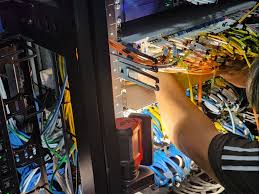
[bt_section lazy_load=”no”][bt_row][bt_column width=”1/1″][bt_header superheadline=”” headline=”Core Network Installation & Maintenance” headline_size=”medium” headline_style=”regular” dash=”bottom” subheadline=”” el_class=”” el_style=””][/bt_header][bt_hr top_spaced=”topSmallSpaced” bottom_spaced=”bottomSmallSpaced” transparent_border=”noBorder” el_class=”” el_style=””][/bt_hr][bt_text ai_prompt_helper=”eyJrZXl3b3JkcyI6IiIsInRvbmUiOiIiLCJtb2RlIjoiZ2VuZXJhdGUiLCJsYW5ndWFnZSI6IiIsImxlbmd0aCI6IiJ9″]
1. Core Network Installation
These are activities done when setting up or expanding a core network infrastructure.
A. Network Design & Planning
• Designing the core network topology (e.g., ring, mesh, or star).
• IP addressing and routing plan (IPv4/IPv6).
• Capacity and redundancy planning.
• Selecting appropriate network hardware (routers, switches, firewalls, servers).
B. Equipment Installation & Configuration
• Installation and configuration of core routers, distribution switches, and aggregation switches.
• Setup of optical fiber links, DWDM/SDH equipment, and transmission systems.
• Installation of racks, power systems, and environmental monitoring equipment.
• Configuration of routing protocols (BGP, OSPF, EIGRP, MPLS).
• Setting up firewalls, VPNs, and security gateways.
• Integration with existing LAN/WAN or data center networks.
C. Testing & Commissioning
• Conducting link tests and throughput testing.
• Performing redundancy and failover tests.
• Verifying connectivity across all network layers.
• Documenting network topology and configurations.
2. Core Network Maintenance
These are ongoing activities to keep the network reliable, secure, and high-performing.
A. Network Monitoring & Support
• 24/7 network monitoring (using NMS tools like SolarWinds, PRTG, or Zabbix).
• Detecting and resolving network faults proactively.
• Providing technical support and troubleshooting.
B. Preventive Maintenance
• Regular inspection of fiber links, equipment rooms, and power systems.
• Firmware and software updates for routers, switches, and firewalls.
• Configuration backups and performance optimization.
C. Corrective Maintenance
• Replacing or repairing failed devices or links.
• Restoring connectivity after outages.
• Coordinating with ISPs or vendors for escalated issues.
D. Performance Management
• Bandwidth utilization analysis.
• Latency and packet loss monitoring.
• Network optimization and upgrades for improved throughput.
E. Security Management
• Firewall rule updates and audits.
• Intrusion detection/prevention system (IDS/IPS) management.
• Security patch management and vulnerability assessments.
F. Documentation & Reporting
• Maintaining updated network diagrams and asset inventories.
• Generating monthly or quarterly maintenance and performance reports.
• Tracking incidents and resolution logs.
[/bt_text][bt_grid_gallery lightbox=”yes” ids=”3618,3621,3620,3619″ format=”” grid_gap=”10″ columns=”4″ links=”” el_class=”” el_style=””][/bt_grid_gallery][/bt_column][/bt_row][/bt_section]